

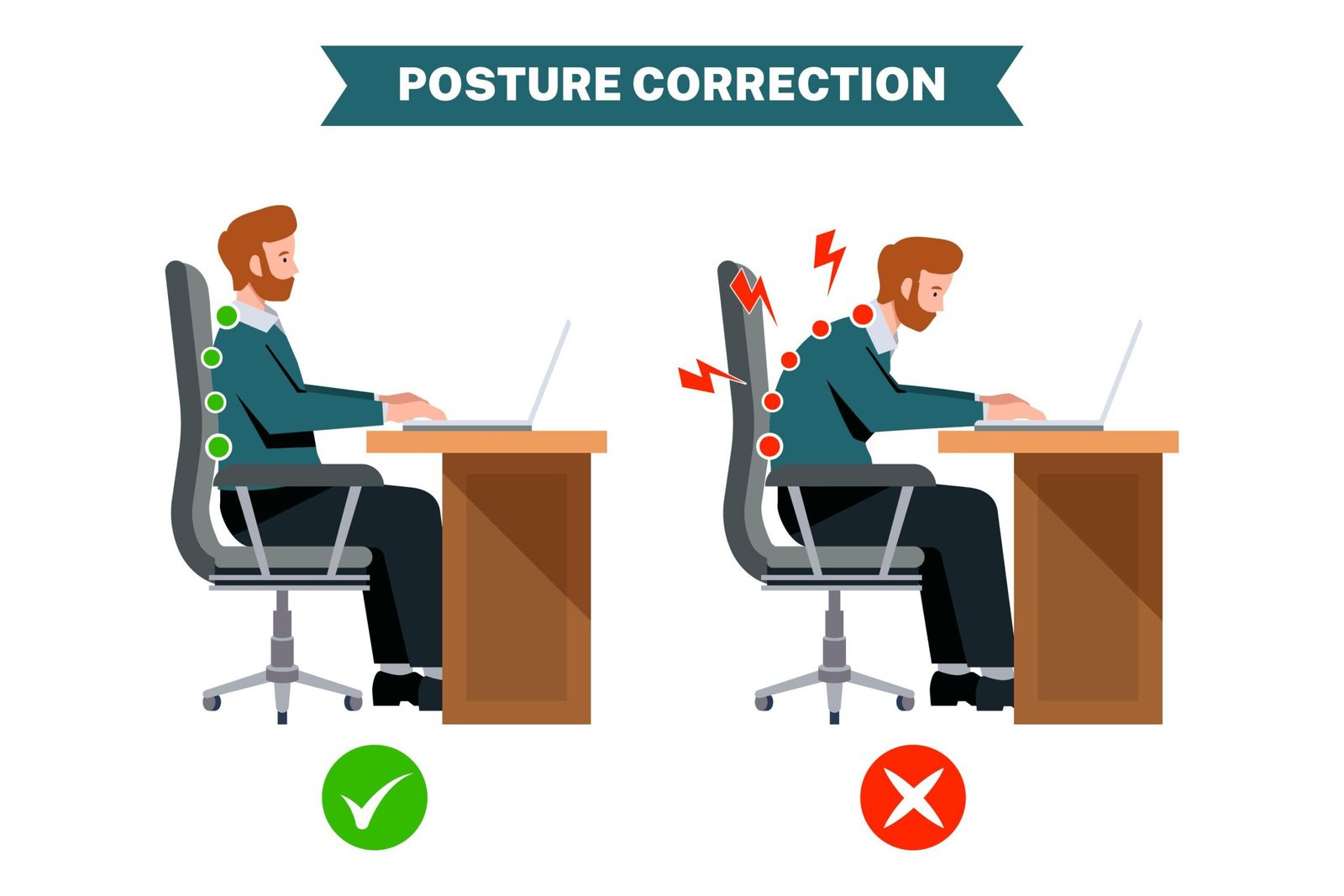
If you sit at a desk for hours at a time, you probably start the morning sitting up perfectly straight. But by lunchtime, you look like a human pretzel—hunched over your keyboard, neck leaning forward, shoulders rounded, and spine completely slouched.
By the time you shut down your computer for the day, your lower back aches, your neck feels stiff, and your shoulders are completely tight.
Bad desk posture isn’t just a bad habit; it places immense structural stress on your joints and muscles. The good news is you don’t need a thousand-dollar ergonomic chair to fix this. With a few simple physical adjustments and some quick layout tweaks, you can train your body to sit comfortably without the constant aches.
The “90-Degree Rule” Setup
The easiest way to check if your workstation is setting you up for failure is to look at your joints. Your body naturally wants to sit in a position where your major joints rest at a clean, 90-degree angle.
Take a quick look at how you are sitting right now and check these three areas:
- Your Elbows: Your arms should rest flat on your desk or armrests so your elbows are bent at roughly a 90-degree angle. If your shoulders are hiked up toward your ears to reach your keyboard, your desk is too high.
- Your Hips: Sit all the way back in your chair so your lower spine is fully supported by the backrest. Your hips should be bent at a 90-degree angle to your torso.
- Your Knees and Feet: Your feet must rest completely flat on the floor, with your knees bent at a 90-degree angle. If your feet are dangling, or if you constantly cross your legs under your chair, you are throwing your pelvis out of alignment. (If your feet can’t reach the floor, slide a thick book or a cheap footrest under them).
Stop “Tech Neck” by Adjusting Your Screen
Your head is incredibly heavy—it weighs roughly 10 to 12 pounds. When your head rests perfectly over your shoulders, your neck muscles handle that weight easily. But for every inch you lean your head forward to read a screen, you double the pressure on your spine.
To fix this forward neck tilt, look straight ahead. Your eyes should land naturally on the top third of your computer screen.
If you are using a laptop, it is virtually impossible to have good posture because the keyboard and screen are glued together. You are forced to look down. To fix this, place your laptop on a stack of books or a stand to bring the screen up to eye level, and plug in a cheap external keyboard and mouse down on your desk.
Quick Desk Setup Checklist
| Body Part | The Mistake You Are Making | The Quick Fix |
| Lower Back | Slouching forward away from the chair. | Slide your hips all the way back against the seat cushion. |
| Feet | Dangling, crossing legs, or tucking feet back. | Plant both feet flat on the ground, shoulder-width apart. |
| Shoulders | Shrugging upward or rolling forward toward the screen. | Pull your shoulders back and down, keeping elbows close to your ribs. |
| Monitor | Placing the screen too low or off to one side. | Elevate the screen so it sits directly in front of your face. |
The Secret: Your Best Posture is Your Next Posture
Here is a truth that most ergonomic experts won’t tell you: even if you have a perfect desk setup, sitting completely still in the exact same position for eight hours straight will still make you stiff and sore. The human body is built to move.
Don’t obsess over sitting perfectly rigid like a statue. Instead, focus on moving around frequently.
- The 50-Minute Reset: Set a timer on your phone for 50 minutes. When it goes off, stand up, stretch your arms over your head, walk around your room for two minutes, and sit back down.
- The Doorway Stretch: Every time you get up to grab a glass of water or use the restroom, stand in a doorway, place your forearms against the frame, and gently step forward to stretch out your chest muscles. This instantly reverses the rounded-shoulder hunch.
By combining a properly adjusted workspace with regular movement breaks, you will stop fighting your chair and finish your workday feeling energized instead of exhausted.





Leave a Reply